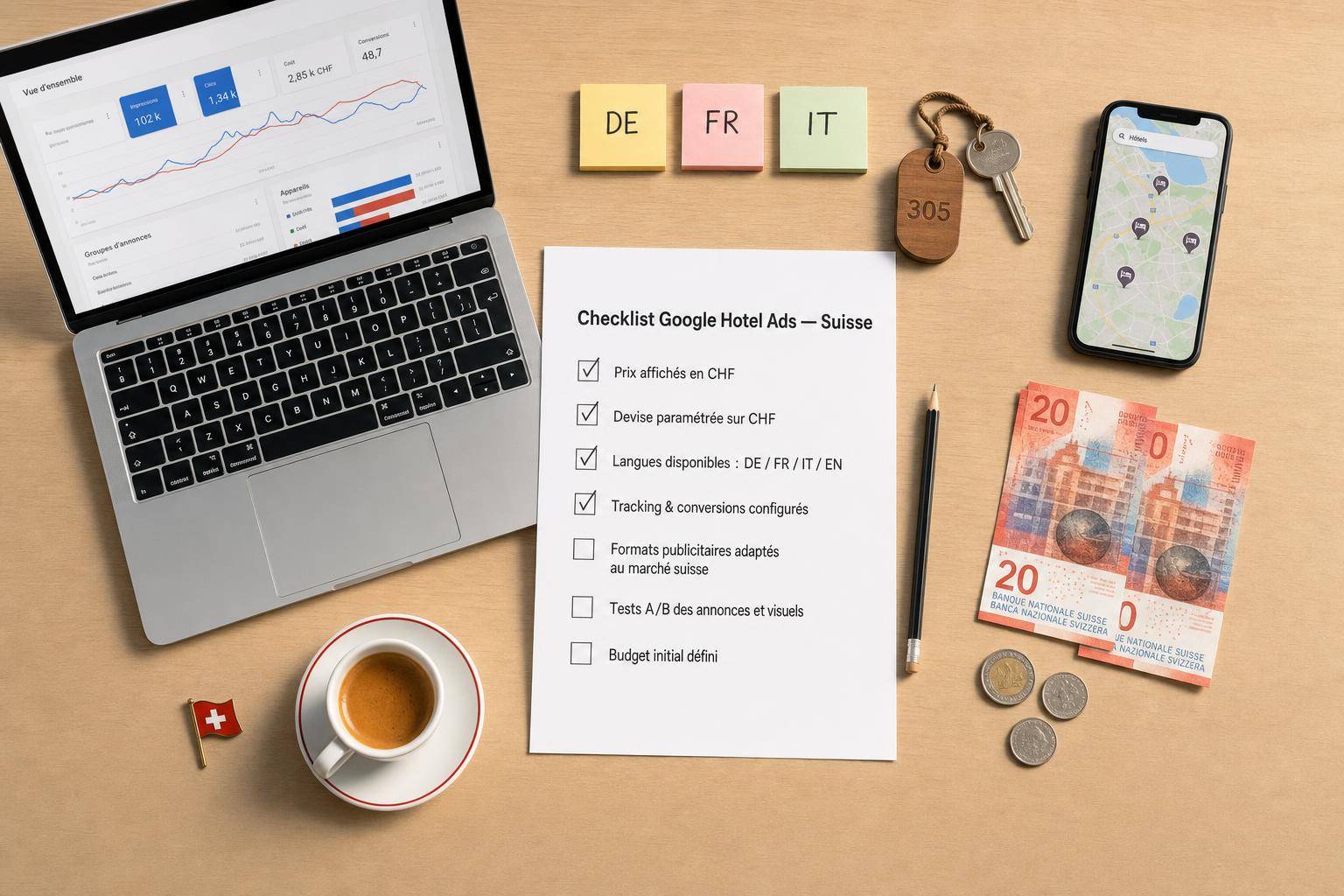
Checklist Google Hotel Ads for Swiss hotels
Checklist Google Hotel Ads for Swiss hotels
I can summarize the rule in one sentence: before launching Google Hotel Ads in Switzerland, I verify that the final price, currency, language, and tracking remain accurate from the Google click to the confirmation.
If I miss a single point, problems arise quickly: incorrect displayed price, change from CHF to EUR, broken journey between fr-CH and English, or non-upward conversion. And in the worst case, if the price seen on Google does not match the final price, the hotel may be excluded from the results.
Here is what I check before activation:
- Properties in Hotel Center: name, address, rooms, attributes
- Tariff feed: up-to-date prices, availability, mandatory taxes and fees
- Currency: consistent display on Google and on the booking engine, in CHF or EUR
- Languages: complete journey in fr-CH and English, without mixing
- Swiss formats: date like 17.07.2026, amounts like CHF 1'000.50, units in m² and °C
- Mobile and deep links: direct arrival on the correct page, without returning to the homepage
- Consent: tags blocked before agreement, on the site and on the engine
- Conversion tracking: inter-domains, Google Ads, booking value, currency
- Distribution rules: closed dates, almost full nights, bid ceiling
- Final test: a real end-to-end test booking
I also keep a simple framework at the beginning: start with free links, then a budget around CHF 30 to 35 per day. With an average CPC of about CHF 1.50, I start manually before using a .
| Point | What I'm looking for |
|---|---|
| Price | The same final amount on Google and at checkout |
| Currency | No surprise switch from CHF to EUR |
| Language | Complete journey in fr-CH or English |
| Tracking | Reservation attributed with the correct value |
| Distribution | Budget kept for dates to push |
In short, I do not launch until the entire journey has been tested under normal conditions. This checklist is used to sort this out before paying for clicks.
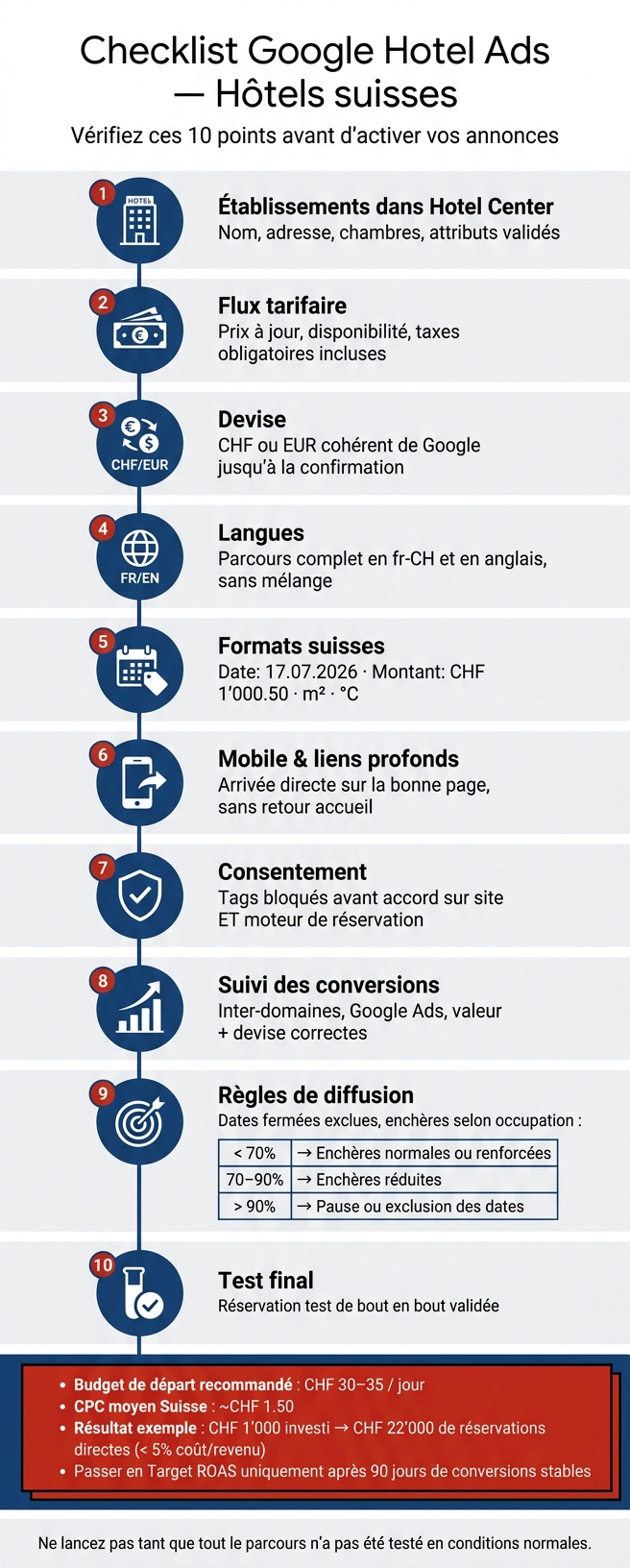
Checklist Google Hotel Ads Switzerland: 10 steps before launch
Mastering Google Hotel Ads: A revolution for independent hoteliers!
sbb-itb-454261f
Verify hotel data, tariff feeds, taxes, and currency
Before launch, the first point to check is the reliability of data and prices. If these elements are not solid, the online presence loses credibility immediately, directly impacting your .
Validate the list of properties and property data in Hotel Center
Each property must be well identified in Google Hotel Center: exact name, complete address, room inventory, and key attributes. The hotel data must be readable, clean, and consistent in Hotel Center.
Verify the accuracy of rates, taxes, and final price
The price displayed on Google must match the final amount paid. For Swiss hotels, this means integrating all mandatory taxes and fees in the XML feed, correctly labeled as "Mandatory Taxes" [1]. The table below summarizes the fields to review before launch:
| Field to check | Requirement | Verification method |
|---|---|---|
| Rate accuracy | Must match the booking engine | Compare Google price preview with final booking page |
| Mandatory taxes and fees | Included in the feed | Check that "Mandatory Taxes" is enabled in the XML feed |
| Currency | Consistent display in CHF or EUR | Ensure that the currency in the feed matches that of the destination page |
| Availability | Real-time synchronization | Test specific dates to confirm availability is correctly reflected |
After that, ensure that the currency remains the same throughout the journey. A user who sees a price in CHF on Google, then in EUR on the booking page, may immediately lose interest.
Confirm CHF and EUR management in feeds and booking pages
The connection to the engine must transmit rates in real-time to Google [1]. Without an active connection, displayed prices can be outdated or not appear at all.
Also display amounts in Swiss format, for example 1'000.50 CHF. This detail may seem minor, but it avoids misunderstandings and makes price reading immediate.
Check languages and booking engine functionality
The language must remain the same from the first click to confirmation. After rates and currency, scrutinize the journey in fr-CH and English.
Confirm booking paths in fr-CH and English
The booking engine must be fully bilingual. This applies to rooms, forms, error messages, and summaries. There should be no partially translated step or a sudden language switch in a button.
If the language is set automatically, also test the default input language. Then check each deep link: it must transmit the correct language, fr-CH or en, from the first click, without a break in the journey [1].
Apply Swiss formats for dates, numbers, and units
Next, move on to local formats. It may seem like a minor detail, but this is often where doubt creeps in. A date like 17.07.2026 is immediately understood by a Swiss visitor. In contrast, 07/17/2026 forces a second pause to understand.
Same logic for units. Areas in m² and temperatures in °C should remain consistent throughout the journey, from the ad page to confirmation.
| Element | Expected format (fr-CH) | Common error |
|---|---|---|
| Date | 17.07.2026 | 07/17/2026 or 17/07/2026 |
| Area | 28 m² | 28 sqft |
| Temperature | 22 °C | 72 °F |
Test mobile journey, deep links, and booking logic
Finish with a real test under real conditions on mobile. The simplest way? Go through the entire process like a customer. On mobile, test the click from Google Hotel Ads to confirmation, without redirection to the homepage [1].
Check consent, analytics, and conversion tracking
After the booking journey, it is essential to verify conversion tracking before going live. Otherwise, reliable reservation attribution is impossible.
Validate consent logic for analysis and advertising tags
The consent banner must block tags until the user gives consent. This is the basis of triggering.
Ensure that this blocking follows the same rules on the hotel's main domain and on the booking engine's domain. If a tag loads before consent on either page, the entire setup can break. And when this lock is missing, reservation tracking becomes partial.
Configure Google Ads conversions and cross-domain tracking
Cross-domain tracking must transmit the client identifier seamlessly. Otherwise, the reservation is not attributed. In other words, the click must remain linked to the user when transitioning from the site to the booking engine.
To avoid this issue, deploy the Conversion Linker via Google Tag Manager on both domains. Then set up a dedicated conversion action for completed reservations. Also, verify that the confirmation page correctly sends the reservation value in the journey's currency.
Align technical configuration with hotel's bilingual UX
The tracking must remain consistent, regardless of the chosen language. Verify that the language choice does not interrupt tag firing or conversion value.
In other words, tag firing and conversion value must remain identical in fr-CH and English.
Define exclusions, budget rules, and final tests before launch
Once feeds, languages, and tracking are validated, set distribution rules before opening. This is the final stretch: it's better to tighten the bolts now than pay for clicks on already full dates.
Define date exclusions and occupancy-based rules
Start by excluding seasonal closure dates, as well as periods with existing demand. If your hotel is almost full, continuing to push ads often doesn't make much sense.
| Occupancy | Recommended action |
|---|---|
| < 70 % | Normal or enhanced bids |
| 70 % to 90 % | Reduced bids |
| > 90 % | Pause or date exclusion |
The idea is simple: the higher the occupancy rate, the more you need to calm distribution. This way, you keep your budget for nights that need a boost.
Define starting budgets and bid safeguards
After filtering dates, set your spending framework. Again, it's better to start simple.
Begin with free booking links, without CPC or commission [1].
For paid launch, start with a daily budget of around CHF 30 to 35, or CHF 1,000 per month. In Switzerland, the average CPC on Google Hotel Ads is around CHF 1.50 [1]. Use this level as the starting manual CPC bid.
Switch to Target ROAS only after 90 days of stable conversions. This mode targets a return of 7x to 12x [1], but it needs enough volume to perform well. In short: if you activate it too early, you risk blind steering.
Perform test bookings and validate the checklist
With the budget in place, proceed to a complete journey test. It's not just a visual check. You need to make a real end-to-end test booking.
Check the following points:
- final price
- currency
- language
- formats
- recorded conversion in
- correct conversion value reported
If any of these elements go off track, your data can become shaky right from the start.
In 2024, a hotel client of launched Google Hotel Ads with a monthly budget of CHF 1,000. The result: CHF 22,000 in direct bookings in a single month, with a cost per revenue below 5%